Moz Q&A is closed.
After more than 13 years, and tens of thousands of questions, Moz Q&A closed on 12th December 2024. Whilst we’re not completely removing the content - many posts will still be possible to view - we have locked both new posts and new replies. More details here.
Unsolved Temporary redirect from 302 to 301 for PNG File?
-
#302HTTP #temporaryredirect
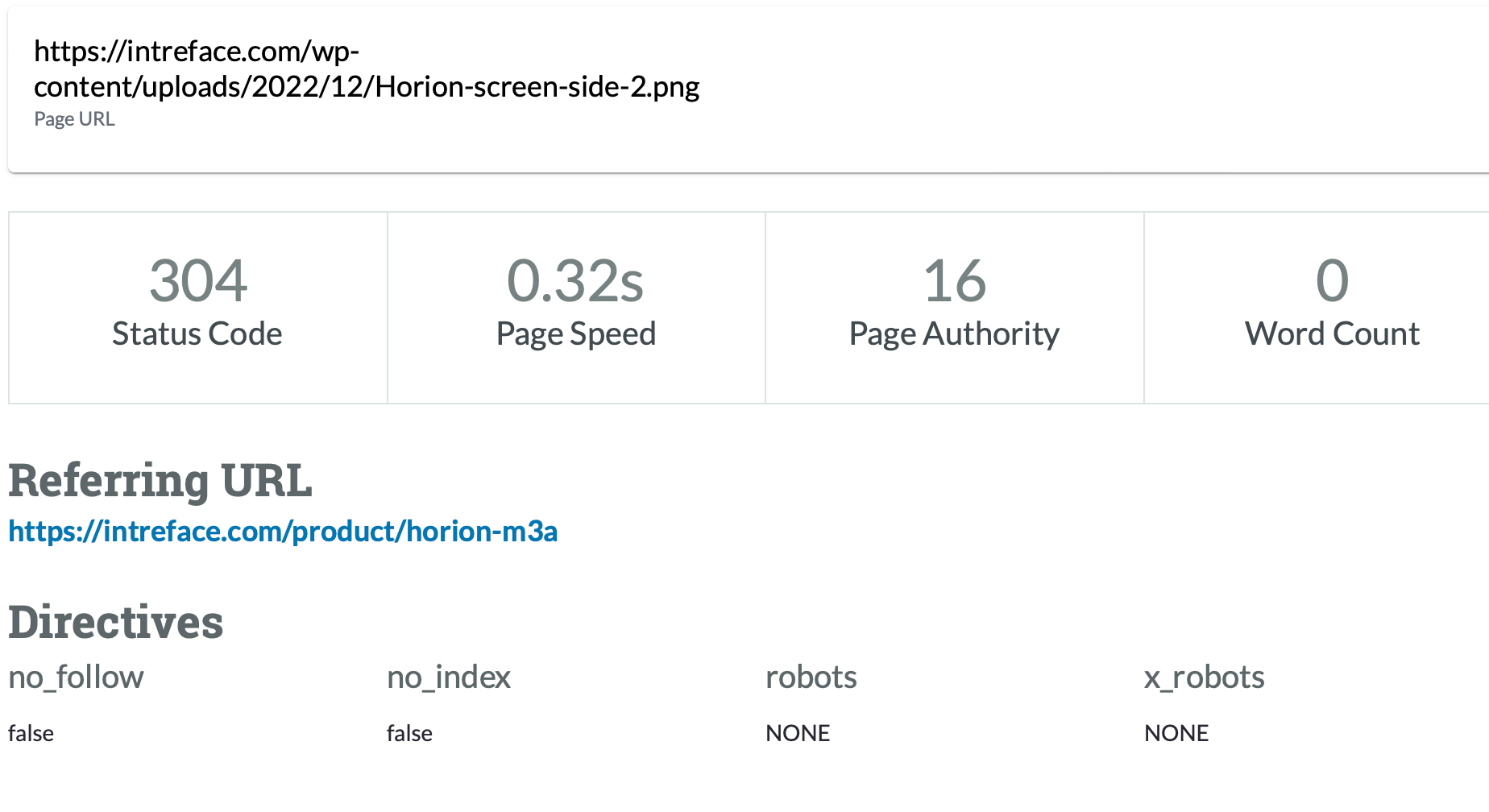
Hi everyone,Recently I have faced a crawl issue with my media images on website. For example this page url https://intreface.com/wp-content/uploads/2022/12/Horion-screen-side-2.png has 302 HTTP Status and the recommendation is to change it 301. I have read the article on temporary redirections here:
https://azwa.1clkaccess.in/learn/seo/redirection?_ga=2.45324708.1293586627.1702571936-916254120.1702571936
but its not written here how to redirect in my HTML 1 image url not the landing page.
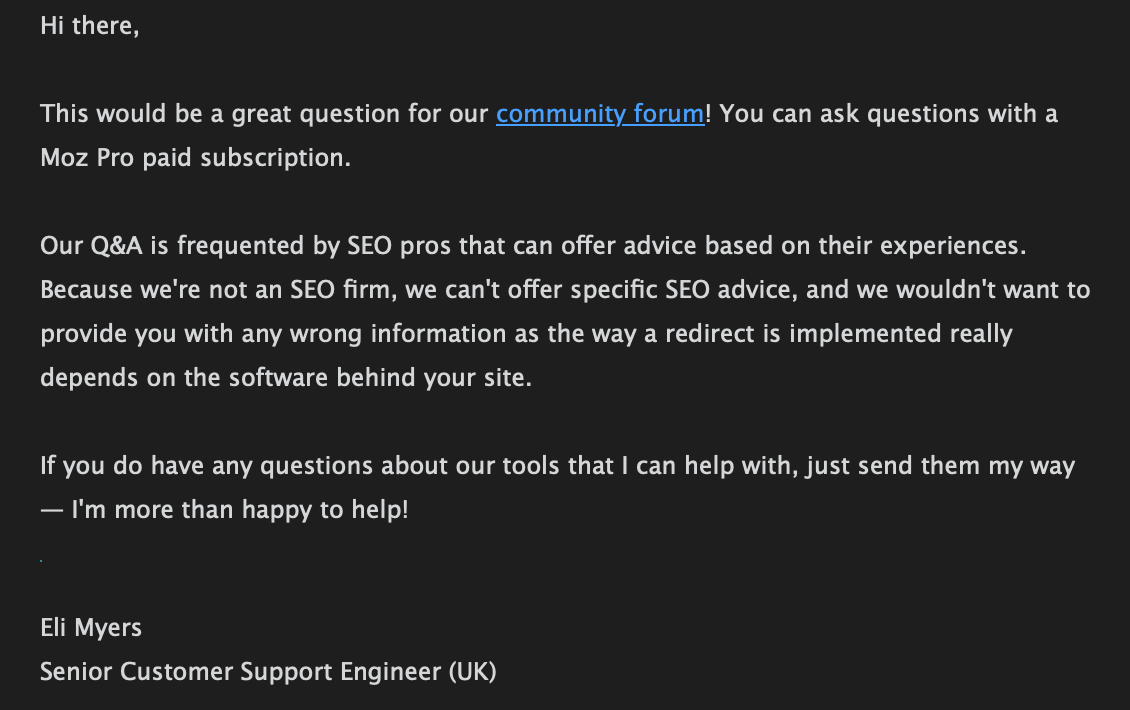
I have messaged to MOZ Support but they recommended to go for the MOZ Community!
Could you assist me wit this issue please? I can reach HTTML of the necessary page and change what I need for permanent redirection but firstly I need to understand how to do that correctly.
-
@Damian_Ed-0 said in Temporary redirect from 302 to 301 for PNG File?:
Recently I have faced a crawl issue with my media images on website. For example this page url https://intreface.com/wp-content/uploads/2022/12/Horion-screen-side-2.png has 302 HTTP Status and the recommendation is to change it 301. I have read the article on temporary redirections here:
https://azwa.1clkaccess.in/learn/seo/redirection?_ga=2.45324708.1293586627.1702571936-916254120.1702571936you can take help from SEO expert
-
I was facing the same issue on my WordPress Local Electric service based website. Then I used 301 Plugin. This is the best plugin. I installed it and simply redirected my old link to the new one and it automatically redirected it to 301 which google recommends.
-
@umar431 could you explain a little more about how to check if Google see this URL as 302 or 301?
@umar431 said in Temporary redirect from 302 to 301 for PNG File?:
Only if Google thinks you used a 302 redirect by mistake for a permanent move does this not happen. In that case, it treats the redirect as a 301.
-
Only if Google thinks you used a 302 redirect by mistake for a permanent move does this not happen. In that case, it treats the redirect as a 301. This means it indexes the new URL instead and consolidates link signals there.
you can visit my website for blue whatsapp




Got a burning SEO question?
Subscribe to Moz Pro to gain full access to Q&A, answer questions, and ask your own.
Browse Questions
Explore more categories
-
Moz Tools
Chat with the community about the Moz tools.
-
SEO Tactics
Discuss the SEO process with fellow marketers
-
Community
Discuss industry events, jobs, and news!
-
Digital Marketing
Chat about tactics outside of SEO
-
Research & Trends
Dive into research and trends in the search industry.
-
Support
Connect on product support and feature requests.
Related Questions
-

302 redirects in Magento, trying to fix
Hi all, I'm assigned a site in Magento. After the first craw, we found almost 15k 302 redirects. A sample URL ends with this /stores/store/switch/?SID=qdq9mf1u6afgodo1vtvk0ucdpb&___from_store=default&___store=german&uenc=aHR0cHM6Ly9qdWljeWZsdXRlcy5jb20vP19fX3N0b3JlPWdlcm1hbg%2C%2C And they are currently 302 redirecting to the homepage as well as other main pages and also product pages it seems. Some of these point to account pages where customers log in. Probably best for me to de-index those so no issues there. But I'm worried about the 302 redirects to public pages. The extension we have installed is SEO Suite Ultimate by MageWorx. Does anyone here have experience here specifically and how did you fix it? Thanks, JC
Technical SEO | | LASClients0 -

Woocommerce add-to-cart causing increase in temporary redirect
Hi, I was wondering is negatively influencing the SEO. Woocommerce add-to-cart is, logically, a 302. However, MOZ is alarming that there is a large amount of temporary redirects on my site. Do I have to act on this or just leave as is? I change the nofollow to follow but not sure if this does more harm then good. Would like to hear some input regarding this issue.
Technical SEO | | ruevoliere0 -

Google is still indexing the old domain a year after 301 redirects are put in place
Hi there, You might have experienced this before but for me this is the first. A client of mine moved from domain A (www.domainA.com) to domain B (www.domainB.com). 301 redirects are all in place for over a year. But the old domain is still showing in Google when you search for "site:domainA.com" The HTTP Header check shows this result for the URL https://www.domainA.com/company/cookie-policy.aspx HTTP/1.1 301 Moved Permanently =>
Technical SEO | | iQi
Cache-Control => private
Content-Length => 174
Content-Type => text/html; charset=utf-8
Location => https://www.domain_B_.com/legal/cookie-policy
Server => Microsoft-IIS/10.0
X-AspNetMvc-Version => 5.2
X-AspNet-Version => 4.0.30319
X-Powered-By => ASP.NET
Date => Fri, 15 Mar 2019 12:01:33 GMT
Connection => close Does the redirect look wrong? The change of address request was made on Google Console when the website was moved over a year ago. Edit: Checked the domainA.com on bing and it seems that its not indexed, and replaced with domainB.com, which is the right. Just Google is indexing the old domain! Please let me know your thoughts on why this is happening. Best,0 -

Sudden jump in the number of 302 redirects on my Squarespace Site
My Squarespace site www.thephysiocompany.com has seen a sudden jump in 302 redirects in the past 30 days. Gone from 0-302 (ironically). They are not detectable using generic link redirect testing sites and Squarespace have not explanation. Any help would be appreciated.
Technical SEO | | Jcoley0 -

Redirect URLS with 301 twice
Hello, I had asked my client to ask her web developer to move to a more simplified URL structure. There was a folder called "home" after the root which served no purpose. I asked for the URLs to be redirected using 301 to the new URLs which did not have this structure. However, the web developer didn't agree and decided to just rename the "home" folder "p". I don't know why he did this. We argued the case and he then created the URL structure we wanted. Initially he had 301 redirected the old URLS (the one with "Home") to his new version (the one with the "p"). When we asked for the more simplified URL after arguing, he just redirected all the "p" URLS to the PAGE NOT FOUND. However, remember, all the original URLs are now being redirected to the PAGE NOT FOUND as a result. The problems I see are these unless he redirects again: The new simplified URLS have to start from scratch to rank 2)We have duplicated content - two URLs with the same content Customers clicking products in the SERPs will currently find that they are being redirect to the 404 page. I understand that redirection has to occur but my questions are these: Is it ok to redirect twice with 301 - so old URL to the "p" version then to final simplified version. Will link juice be lost doing this twice? If he redirects from the original URLS to the final version missing out the "p" version, what should happen to the "p" version - they are currently indexed. Any help would be appreciated. Thanks
Technical SEO | | AL123al0 -

Can I remove 301 redirects after some time?
Hello, We have an very large number of 301 redirects on our site and would like to find a way to remove some of them. Is there a time frame after which Google does not need a 301 any more? For example if A is 301 redirected to B, does Google know after a while not to serve A any more, and replaces any requests for A with B? How about any links that go to A? Or: Is the only option to have all links that pointed to A point to B and then the 301 can be removed after some time? Thank you for you you help!
Technical SEO | | Veva0 -

302 or 301 redirect to https ?
I am redirecting whole site to https. Is there a difference between 302 or 301 redirect for seo? Site never been indexed. Planning to do that with .htaccess command RewriteCond %{HTTPS} !=on
Technical SEO | | Kotkov
RewriteRule ^(.*) https://%{SERVER_NAME}/$1 [R,L] There are plenty of ways http://www.askapache.com/htaccess/ssl-example-usage-in-htaccess.html Which way would be the best? Thanks is advance0 -

301 Redirect "wildcard" question
I have been looking at the SEOmoz redirect guide for some advice but I can't seem to find the answer : http://www.seomoz.org/learn-seo/redirection I have lots of URLs from a previous version of a site that look like the following: sitename.com/-c-25.html?sort=2d&page=1 sitename.com/-c-25.html?sort=3a&page=1 etc etc. I want to write a redirect so whenever a URL with the terms "-c-25.html" is requested it redirects to a specified page, regardless of what comes after the question mark. These URLs were created by our previous ecommerce software. The 'c' is for category, and each page of the cateogry created a different URL. I want to do these so I can rediect all of these URLs to the appropraite new cateogry page in a single redirect. Thanks for any help.
Technical SEO | | craigycraig0