Moz Q&A is closed.
After more than 13 years, and tens of thousands of questions, Moz Q&A closed on 12th December 2024. Whilst we’re not completely removing the content - many posts will still be possible to view - we have locked both new posts and new replies. More details here.
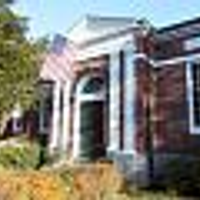
Why is Google Displaying this image in the search results?
-
Hi i'm looking at advice on how to remove or change a particular image Google is displaying in the search results. I have attached a screenshot.
From the first look of it, i assumed the image would be related and be on the dealers Google+ Local Page: https://plus.google.com/118099386834104087122/about?hl=en
But there are no photos.
The image seems to be coming from the website. Is there a way to stop Google from displaying this image or making them display a totally different image.
Thanks,
Chris
-
Hi Matt,
Oh dear, this is a problem I have seen reported several times, and the feedback from Google about it is kind of ridiculous. Here's an example of Googler Vanessa Gene's response to an issue like yours:
We're pulling that photo in from your website's homepage. If you'd like it removed from the Maps listings, the easiest way to do it is by removing the photo from your site. http://support.google.com/places/bin/answer.py?hl=en&answer=142916_On your business's Place Page, you may see photos from other sources as well, including pictures from the web and from Google users. _- Vanessa
It does appear that the image being displayed on the SERPs side of your result is coming from a blog post about sailing on the website, here, http://www.audiparramatta.com.au/au_partner/p_au_21540/en_home/experience/sailing_sport/sailing_news/2010_victoria_week.detail.2010~01~olympic_sailor_winner.html
I find it rather silly that Google's solution is to remove the image from your website, thus diminishing your website's content quality. Honestly, I want to blog about this because I think it's such an odd scenario, with Google pulling totally random images for businesses. They could be of anything!
What I do see is that it appears you haven't made the effort to upload any of your own photos to the Google+ Local pages. Perhaps there is a chance that if you do so, you might eventually see the current image replaced by one of your choosing. However, be advised that it is still taken weeks for images you upload to appear live in many cases. I've seen reports of 4-6 weeks. So, this isn't an issue you can fix quickly, if you can fix it at all. Sorry not to have an easy solution, but I hope you feel brought up to speed on this, in regards to the being a phenomenon affecting numerous businesses.
-
That is not the picture I see (I see a street view) but if you go into your Google places account (I am assuming this is your site) you can upload pictures and make other changes.


Got a burning SEO question?
Subscribe to Moz Pro to gain full access to Q&A, answer questions, and ask your own.
Browse Questions
Explore more categories
-
Moz Tools
Chat with the community about the Moz tools.
-
SEO Tactics
Discuss the SEO process with fellow marketers
-
Community
Discuss industry events, jobs, and news!
-
Digital Marketing
Chat about tactics outside of SEO
-
Research & Trends
Dive into research and trends in the search industry.
-
Support
Connect on product support and feature requests.
Related Questions
-

After hack and remediation, thousands of URL's still appearing as 'Valid' in google search console. How to remedy?
I'm working on a site that was hacked in March 2019 and in the process, nearly 900,000 spam links were generated and indexed. After remediation of the hack in April 2019, the spammy URLs began dropping out of the index until last week, when Search Console showed around 8,000 as "Indexed, not submitted in sitemap" but listed as "Valid" in the coverage report and many of them are still hack-related URLs that are listed as being indexed in March 2019, despite the fact that clicking on them leads to a 404. As of this Saturday, the number jumped up to 18,000, but I have no way of finding out using the search console reports why the jump happened or what are the new URLs that were added, the only sort mechanism is last crawled and they don't show up there. How long can I expect it to take for these remaining urls to also be removed from the index? Is there any way to expedite the process? I've submitted a 'new' sitemap several times, which (so far) has not helped. Is there any way to see inside the new GSC view why/how the number of valid URLs in the indexed doubled over one weekend?
Intermediate & Advanced SEO | | rickyporco0 -

My url disappeared from Google but Search Console shows indexed. This url has been indexed for more than a year. Please help!
Super weird problem that I can't solve for last 5 hours. One of my urls: https://www.dcacar.com/lax-car-service.html Has been indexed for more than a year and also has an AMP version, few hours ago I realized that it had disappeared from serps. We were ranking on page 1 for several key terms. When I perform a search "site:dcacar.com " the url is no where to be found on all 5 pages. But when I check my Google Console it shows as indexed I requested to index again but nothing changed. All other 50 or so urls are not effected at all, this is the only url that has gone missing can someone solve this mystery for me please. Thanks a lot in advance.
Intermediate & Advanced SEO | | Davit19850 -

Displaying Vanity URL in Google Search Result
Hi Moz! Not sure if this has been asked before, but is there any way to tell Google to display a vanity URL (that has been 301d) instead of the actual URL in the SERP? Example: www.domainA.com is a vanity URL (bought specifically for Brand Identity reasons) that redirects to www.domainB.com. Is it possible to have the domainA Url show up in Google for a Branded search query? Thanks in advance! Arjun
Intermediate & Advanced SEO | | Lauriedechaseaux0 -

Null Alt Image Tags vs Missing Alt Image Tags
Hi, Would it be better for organic search to have a null alt image tag programatically added to thousands of images without alt image tags or just leave them as is. The option of adding tailored alt image tags to thousands of images is not possible. Is having sitewide alt image tags really important to organic search overall or what? Right now, probably 10% of the sites images have alt img tags. A huge number of those images are pages that aren Thanks!
Intermediate & Advanced SEO | | 945010 -

When i search for my domain name - google asks "did you mean" - why?
Hi all, I just noticed something quite odd - if i do a search for my domain name (see: http://goo.gl/LBc1lz) google shows my domain as first result, but it also asks "did i mean" and names another website with very similar name. the other site has far lower PA/DA according to Moz, any ideas why google is doing this? and more inportantly how i could stop it? please advise James
Intermediate & Advanced SEO | | isntworkdull0 -
Number of images on Google?
Hello here, In the past I was able to find out pretty easily how many images from my website are indexed by Google and inside the Google image search index. But as today looks like Google is not giving you any numbers, it just lists the indexed images. I use the advanced image search, by defining my domain name for the "site or domain" field: http://www.google.com/advanced_image_search and then Google returns all the images coming from my website. Is there any way to know the actual number of images indexed? Any ideas are very welcome! Thank you in advance.
Intermediate & Advanced SEO | | fablau1 -

Does Google crawl the pages which are generated via the site's search box queries?
For example, if I search for an 'x' item in a site's search box and if the site displays a list of results based on the query, would that page be crawled? I am asking this question because this would be a URL that is non existent on the site and hence am confused as to whether Google bots would be able to find it.
Intermediate & Advanced SEO | | pulseseo0 -

Posing QU's on Google Variables "aclk", "gclid" "cd", "/aclk" "/search", "/url" etc
I've been doing a bit of stats research prompted by read the recent ranking blog http://www.seomoz.org/blog/gettings-rankings-into-ga-using-custom-variables There are a few things that have come up in my research that I'd like to clear up. The below analysis has been done on my "conversions". 1/. What does "/aclk" mean in the Referrer URL? I have noticed a strong correlation between this and "gclid" in the landing page variable. Does it mean "ad click" ?? Although they seem to "closely" correlate they don't exactly, so when I have /aclk in the referrer Url MOSTLY I have gclid in the landing page URL. BUT not always, and the same applies vice versa. It's pretty vital that I know what is the best way to monitor adwords PPC, so what is the best variable to go on? - Currently I am using "gclid", but I have about 25% extra referral URL's with /aclk in that dont have "gclid" in - so am I underestimating my number of PPC conversions? 2/. The use of the variable "cd" is great, but it is not always present. I have noticed that 99% of my google "Referrer URL's" either start with:
Intermediate & Advanced SEO | | James77
/aclk - No cd value
/search - No cd value
/url - Always contains the cd variable. What do I make of this?? Thanks for the help in advance!0

